
To protect your devices, accounts, and privacy, stay proactive by using strong, unique passwords for each account and updating them regularly. Keep your devices updated with the latest security patches and only download apps from trusted sources. Be aware of privacy settings on social media and avoid clicking on suspicious links or attachments. Practice good digital habits consistently, and you’ll build a stronger shield against cyber threats—learn more on how to enhance your digital safety.
Key Takeaways
- Keep devices updated with the latest security patches to protect against vulnerabilities.
- Use strong, unique passwords for each account and manage them with a reputable password manager.
- Enable multi-factor authentication to add an extra layer of security to your accounts.
- Review and adjust privacy settings on social media and apps to control personal information sharing.
- Stay informed about cybersecurity threats and practice ongoing digital safety measures regularly.
In today’s interconnected world, digital safety is more important than ever, as your personal information and online activities are constantly at risk. Every account you create, every device you use, and every piece of data you share can become a target for cybercriminals if you’re not careful. To defend yourself effectively, you need to understand the significance of good password management and the role of cybersecurity education. These elements form the foundation of a robust digital safety strategy.
Password management is your first line of defense against unauthorized access. Instead of reusing passwords across multiple accounts or choosing simple ones that are easy to guess, you should adopt strong, unique passwords for each login. Consider using a reputable password manager to generate and store complex passwords securely. This way, you don’t have to remember every password, reducing the temptation to write them down or fall back on weak choices. Regularly updating your passwords adds an extra layer of security, especially if a breach occurs on one of your accounts. Remember, a strong password combines upper and lowercase letters, numbers, and symbols, making it considerably harder for hackers to crack.
Use strong, unique passwords and update them regularly for better online security.
Cybersecurity education is equally essential because it empowers you to recognize threats and respond appropriately. Staying informed about common scams, phishing attacks, and malicious links helps you avoid falling victim to cybercrimes. For instance, understanding that unsolicited emails asking for personal information are often malicious saves you from potential data theft. Education also includes awareness of privacy settings on social media platforms, ensuring you don’t inadvertently share sensitive information that could be exploited. The more you learn about cybersecurity best practices, the better equipped you’ll be to protect your devices, accounts, and personal data. Staying informed about cyber threats is a key component of maintaining digital safety.
In addition to managing passwords and educating yourself about cyber threats, you should also keep your devices updated with the latest security patches. Regular updates close vulnerabilities that hackers might exploit. Use multi-factor authentication whenever possible to add an extra verification step, making it even harder for unauthorized users to access your accounts. Be cautious about the apps you install and the permissions you grant; only download from trusted sources, and review what access each app requests.
Ultimately, digital safety isn’t a one-time effort but an ongoing process. By practicing good password management, continuously expanding your cybersecurity knowledge, and staying vigilant about updates and app permissions, you markedly reduce your risk of falling prey to cyber threats. Taking these proactive steps ensures your personal information remains secure and your online experience stays safe and private.

NordPass Premium, Unlimited Devices, 2-Year, Password Manager, Digital Code
Automatically fill out login details. Save time online, let NordPass autofill login details for you. All it takes…
As an affiliate, we earn on qualifying purchases.
As an affiliate, we earn on qualifying purchases.
Frequently Asked Questions
How Often Should I Update My Device Software for Optimal Security?
You should update your device software as soon as updates are available to minimize software vulnerabilities. Regular update frequency, ideally once a month, helps guarantee you’re protected against emerging threats. Don’t wait for notifications; check for updates manually if needed. Keeping your software current closes security gaps, reduces risks, and maintains ideal device performance. Staying proactive with updates is the best way to safeguard your digital life effectively.
What Are the Best Practices for Creating Strong, Memorable Passwords?
You should create strong, memorable passwords by combining password complexity with mnemonic devices. Use a mix of uppercase and lowercase letters, numbers, and symbols to strengthen your passwords. To remember them easily, create a phrase or pattern that’s meaningful to you, then convert it into a complex password. Avoid common words or personal info, and consider using a password manager for added security and convenience.
How Can I Detect if My Account Has Been Hacked?
If you suspect an account breach or unauthorized access, start by checking for unusual activity like login alerts or unfamiliar transactions. Change your password immediately and review your account settings. Look for any suspicious emails or notifications from your service provider. Enable two-factor authentication to add extra security. Regularly monitor your account activity to catch potential breaches early, and contact customer support if you notice anything suspicious.
What Should I Do if I Suspect My Privacy Has Been Compromised?
If you suspect your privacy has been compromised, act quickly. Change your passwords immediately and enable two-factor authentication. Watch for signs of phishing scams or unauthorized access, like strange emails or unfamiliar account activity. Review your account settings and privacy options, and notify the service provider if needed. Stay vigilant, and consider running security scans on your devices to detect any malware or suspicious activity.
Are Free VPNS Safe to Use for Protecting Online Privacy?
Did you know that over 60% of free VPNs have been found to log user data? Free VPNs often lack reliable VPN reliability and strong data encryption, making them risky for protecting your online privacy. They may sell your data or expose you to malware. For better protection, consider reputable paid VPNs that prioritize security, reliable connections, and robust data encryption to keep your online activities safe.

Yubico – YubiKey 5C NFC – Multi-Factor authentication (MFA) Security Key and passkey, Connect via USB-C or NFC, FIDO Certified – Protect Your Online Accounts
POWERFUL SECURITY KEY: The YubiKey 5C NFC is the most versatile physical passkey, protecting your digital life from…
As an affiliate, we earn on qualifying purchases.
As an affiliate, we earn on qualifying purchases.
Conclusion
Now, as you take a moment to reflect, it’s funny how keeping your devices, accounts, and privacy safe often coincides with everyday habits. You might find that a simple password update or enabling two-factor authentication fits perfectly into your daily routine. Just like discovering your keys in the right pocket, securing your digital life becomes second nature when you realize how small steps make a big difference. Stay vigilant—your digital safety is always worth the coincidence.

Thetis Nano-A FIDO2 Security Key Hardware Passkey Device with USB Type A, TOTP/HOTP, FIDO2.0 Two Factor Authentication 2FA MFA, Works with Windows/mac/iOS/Android/Linux/Gmail/Facebook/GitHub/Coinbase
Ultra-Compact FIDO2 Security Key – Plug-and-stay or carry on a keychain. This USB-A hardware security key offers portable,…
As an affiliate, we earn on qualifying purchases.
As an affiliate, we earn on qualifying purchases.
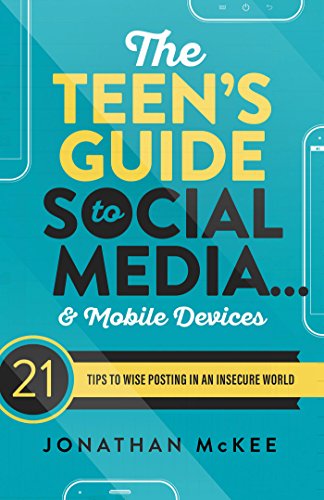
The Teen's Guide to Social Media… & Mobile Devices: 21 Tips to Wise Posting in an Insecure World
As an affiliate, we earn on qualifying purchases.
As an affiliate, we earn on qualifying purchases.