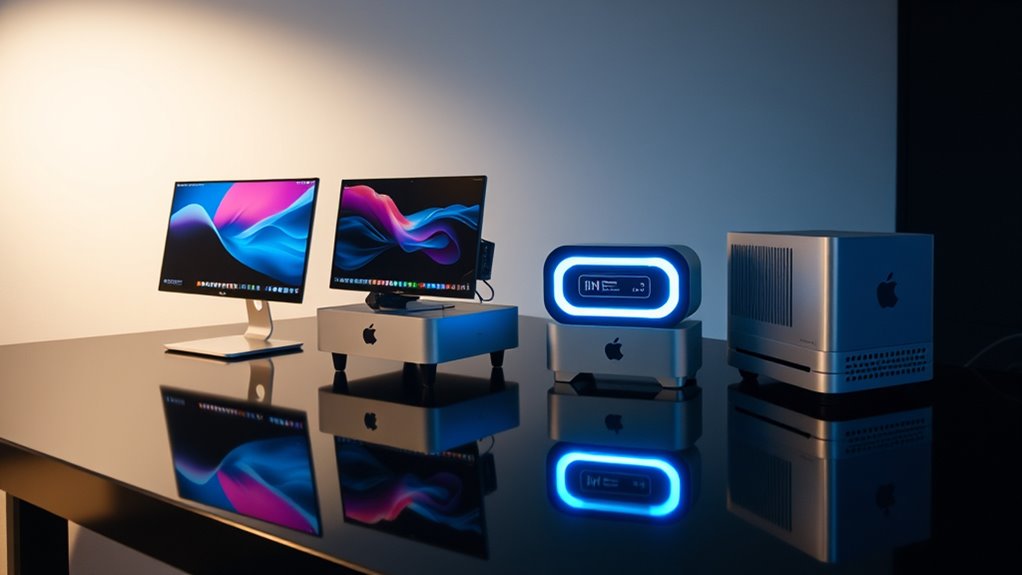

Finding the right Mac mini for creative work in 2026 mostly comes down to one question: how much GPU muscle and unified memory do your projects actually demand? The lineup spans an enormous range, from renewed M1 models that still handle photo editing gracefully to the M5 Pro configuration that chews through 8K timelines and on-device AI workloads. If I had to pick two standouts right away, the M4 with 24GB of RAM and a 1TB SSD is the sweet spot for most working creators, while the M4 Pro with its 16-core GPU is the better call for anyone whose projects lean on GPU acceleration. The main tradeoffs you’ll weigh are storage capacity versus chip tier, upfront cost versus longevity, and whether cutting-edge connectivity like Thunderbolt 5 matters to your workflow at all.

Turn your wind-down time into listening time
- Thousands of audiobooks, podcasts and originals
- Listen on your phone, tablet or Echo — also offline
- Cancel anytime
Key Takeaways
- The M4 with 24GB RAM and 1TB SSD is the best all-around pick because it balances chip performance with the storage capacity creators actually fill up.
- The M4 Pro trades half the base storage (512GB vs 1TB) for a 16-core GPU, making it the smarter buy for video editors and 3D artists rather than photographers.
- The M5 Pro is the only option with Thunderbolt 5, 2.5Gb Ethernet, and per-core Neural Accelerators, justifying its premium for AI-heavy and multi-display workflows.
- Renewed M1 models remain viable entry points, but the 8GB/256GB version is only suitable for light creative work, while the 16GB/1TB version is the genuine budget creator machine.
- All five options ship without a display, keyboard, or mouse, so budget for peripherals regardless of which configuration you choose.
| Apple Mac mini (M4, 10-Core CPU, 10-Core GPU, 24GB RAM, 1TB SSD) |  | Best Overall for Most Creators | Chip: Apple M4 | CPU: 10-core | GPU: 10-core | VIEW ON AMAZON | See Our Full Breakdown |
| Apple 2024 Mac mini Desktop Computer with M4 Pro Chip, 12-Core CPU, 16-Core GPU, 24GB Memory, 512GB SSD, and Gigabit Ethernet |  | Best for Video Editors and GPU-Heavy Work | Chip: Apple M4 Pro | CPU: 12-core | GPU: 16-core | VIEW ON AMAZON | See Our Full Breakdown |
| Apple 2026 Mac mini Desktop Computer with M5 Pro Chip |  | Best Premium Pick for Demanding Workflows | Chip: Apple M5 Pro | Memory Bandwidth: 307GB/s | AI Performance: Up to 4x faster with per-core Neural Accelerators | VIEW ON AMAZON | See Our Full Breakdown |
| Apple Mac mini (2020) with M1 Chip, 16GB Memory, 1TB SSD, Silver (Renewed) |  | Best Budget Pick for Serious Creative Work | Processor: Apple M1, 8-core CPU | Graphics: 8-core GPU | Neural Engine: 16-core | VIEW ON AMAZON | See Our Full Breakdown |
| Apple Mac mini (2020) with M1 Chip, 8GB RAM, 256GB SSD, Silver (Renewed) |  | Best for Beginners Testing the Waters | Processor: Apple M1, 8-core CPU | Graphics: 8-core GPU | Neural Engine: 16-core | VIEW ON AMAZON | See Our Full Breakdown |
| mac mini configurations for creator | Storage | Chip |
|---|---|---|
| Apple Mac mini | 1TB SSD | Apple M4 |
| Apple 2024 Mac mini Desktop Co | 512GB SSD | Apple M4 Pro |
| Apple 2026 Mac mini Desktop Co | — | Apple M5 Pro |
| Apple Mac mini | 1TB SSD | — |
| Apple Mac mini | 256GB SSD | — |
More Details on Our Top Picks
Apple Mac mini (M4, 10-Core CPU, 10-Core GPU, 24GB RAM, 1TB SSD)
This configuration earns my top spot because it solves the problem that trips up most Mac mini buyers: balancing chip performance against realistic storage needs. The 10-core M4 handles photo editing in Lightroom, music production in Logic Pro, and even 1080p and light 4K video editing without breaking a sweat. The 24GB of unified memory gives you headroom for large RAW libraries and multitasking between Creative Cloud apps, and the 1TB SSD means you won’t be shopping for an external drive in month two.
Compared with the M4 Pro configuration below, this model gives up six GPU cores but doubles the internal storage — a trade most photographers, writers, musicians, and hybrid creators should take. The front-facing USB-C ports and headphone jack, new to this generation, are small quality-of-life wins for creators who plug in cameras and audio interfaces daily. The limitation is real, though: motion graphics artists and anyone rendering heavy GPU effects will feel the 10-core GPU ceiling. If your timeline is mostly color grading rather than 3D, this pick makes the most sense.
Pros:- Balanced pairing of M4 performance with 24GB of memory and a full 1TB of internal storage
- Front USB-C ports and headphone jack make daily peripheral swapping far more convenient
- Compact 5-by-5-inch chassis fits any desk setup, including mounted behind a monitor
- Strong privacy, security, and Apple Intelligence support built in
Cons:- 10-core GPU limits performance in GPU-heavy rendering and effects work
- No dedicated graphics option for demanding 3D or gaming workloads
- Display, keyboard, and mouse all sold separately
Best for: Photographers, musicians, and hybrid content creators who need strong all-around performance with ample internal storage
Not ideal for: 3D artists, motion designers, and editors working with heavy GPU-accelerated effects
- Chip:Apple M4
- CPU:10-core
- GPU:10-core
- RAM:24GB
- Storage:1TB SSD
- Ports:Thunderbolt, HDMI, Gigabit Ethernet, front USB-C, headphone jack
- Dimensions:5 x 5 inches
- Environmental:Carbon neutral
Our verdict“The most sensible single purchase for creators who want capable performance today and enough storage to avoid immediate upgrades.”
Apple 2024 Mac mini Desktop Computer with M4 Pro Chip, 12-Core CPU, 16-Core GPU, 24GB Memory, 512GB SSD, and Gigabit Ethernet
This is the configuration I’d point video editors toward first, and the reason is simple: the 16-core GPU changes what’s possible in a machine this size. Multiple 4K streams in Final Cut Pro, GPU-accelerated noise reduction in Resolve, and Blender viewport work all run noticeably smoother than on the standard M4. The 12-core CPU also helps with export times, which compound into real hours saved over a month of editing.
The tradeoff against my top pick is storage: you get 512GB instead of 1TB, which fills up fast with video footage. That’s a deliberate choice — if you’re already working off external SSDs over Thunderbolt, the internal drive matters less, and the GPU upgrade matters more. Compared with the M5 Pro model higher up this list, this one lacks Thunderbolt 5 and the AI accelerators, but it delivers the core editing performance most professionals need without paying the flagship premium. iPhone Mirroring support adds a nice workflow perk for creators shooting on iPhone. Skip it if you’re a photographer who rarely touches video — you’d be paying for GPU headroom you’ll never use while starving yourself of storage.
Pros:- 16-core GPU handles multi-stream 4K editing and GPU-accelerated effects comfortably
- 12-core CPU shortens export and render times noticeably
- 24GB of unified memory matches my top pick for multitasking headroom
- Same compact five-by-five-inch footprint as the rest of the modern lineup
Cons:- Only 512GB of internal storage, which video projects consume quickly
- No monitor, keyboard, or mouse included
- Gigabit Ethernet trails the 2.5Gb networking of the M5 Pro model
Best for: Video editors, colorists, and 3D artists whose workflows lean heavily on GPU acceleration
Not ideal for: Photographers and writers who would benefit more from the 1TB storage of the standard M4
- Chip:Apple M4 Pro
- CPU:12-core
- GPU:16-core
- Unified Memory:24GB
- Storage:512GB SSD
- Ethernet:Gigabit Ethernet
- Dimensions:5 x 5 x 2 inches
- Weight:1.6 pounds
Our verdict“The right pick when GPU cores matter more than internal storage — which describes most working video editors.”
Apple 2026 Mac mini Desktop Computer with M5 Pro Chip
The M5 Pro configuration exists for creators whose work has outgrown the M4 tier entirely. With 307GB/s of memory bandwidth and up to twice the storage speed, this machine is built for the projects that make other configurations stutter: 8K timelines, massive sample libraries, large-format photography, and increasingly, on-device AI work. The Neural Accelerator in each GPU core delivering up to 4x faster AI performance isn’t marketing fluff for creators in 2026 — local image generation, AI-assisted editing tools, and machine learning workflows are becoming part of everyday production.
Connectivity is where this model justifies its premium over the M4 Pro: three Thunderbolt 5 ports move external arrays faster than anything else here, 2.5Gb Ethernet keeps studio network transfers from bottlenecking, and support for three external displays matters for editors who live in a multi-monitor grading bay. Compared with the M4 Pro, this is a meaningfully faster machine — but that speed is wasted on anyone whose heaviest task is podcast editing in Logic. The lack of internal upgradeability also stings at this price: what you buy is what you’ll have forever, so choose memory and storage carefully at checkout.
Pros:- M5 Pro with per-core Neural Accelerators delivers up to 4x faster on-device AI performance
- Three Thunderbolt 5 ports and 2.5Gb Ethernet eliminate external storage bottlenecks
- Supports up to three external displays for multi-monitor editing setups
- Wi-Fi 7 via the Apple N1 chip future-proofs wireless workflows
Cons:- Premium positioning puts it well beyond what most creators need
- No internal upgradeability after purchase, unlike PC desktops
- Display, keyboard, and mouse not included at any configuration tier
Best for: Professional editors, AI-focused creators, and studio users with multi-display, high-bandwidth workflows
Not ideal for: Hobbyists and casual creators who would never stress an M4, let alone an M5 Pro
- Chip:Apple M5 Pro
- Memory Bandwidth:307GB/s
- AI Performance:Up to 4x faster with per-core Neural Accelerators
- Rear Ports:3x Thunderbolt 5, HDMI, 2.5Gb Ethernet
- Front Ports:2x USB-C, headphone jack
- External Displays:Up to 3
- Wireless:Wi-Fi 7 (Apple N1), Bluetooth 6
- Form Factor:5 x 5 inch desktop
Our verdict“The flagship choice for creators whose deadlines and project sizes genuinely demand the fastest mini Apple makes.”
Apple Mac mini (2020) with M1 Chip, 16GB Memory, 1TB SSD, Silver (Renewed)
Of the two renewed M1 models in this lineup, this is the one I’d actually recommend to a working creator on a budget. The difference comes down to two specs: 16GB of unified memory and a 1TB SSD. Memory is the ceiling that determines how long a Mac stays useful, and 16GB keeps the M1 capable of real Lightroom libraries, Logic sessions with dozens of tracks, and 1080p video editing without constant swapping. The generous internal storage means you can work self-contained before investing in external drives.
The M1 architecture holds up remarkably well for a 2020 chip — it still handles photo and audio work fluently — but comparisons with the M4 model are honest ones: exports are slower, GPU-intensive effects lag noticeably, and the port selection is more dated. What softens the risk of buying renewed is the inclusion of a one-year Apple limited warranty with 90 days of technical support, which is unusual for refurbished hardware and gives this option a safety net the cheaper 8GB model lacks. Compared with the M5 Pro, this is obviously a different class of machine, but for a first creative workstation or a secondary render box, the value argument is compelling.
Pros:- 16GB of unified memory keeps creative apps running smoothly despite the older chip
- 1TB SSD provides the storage capacity creators actually need from day one
- One-year Apple limited warranty and 90 days of support reduce renewed-purchase risk
- M1’s 8-core CPU and 16-core Neural Engine still handle photo and audio work well
Cons:- Renewed condition means cosmetic and battery-of-life uncertainty on used hardware
- Noticeably slower than M4 and M5 models for exports and GPU effects
- Dated port selection compared with Thunderbolt 5 and front USB-C on newer models
Best for: Students, first-time creators, and budget-conscious professionals who need a capable starter workstation
Not ideal for: Anyone working in 4K+ video, heavy 3D, or modern AI-accelerated workflows
- Processor:Apple M1, 8-core CPU
- Graphics:8-core GPU
- Neural Engine:16-core
- Memory:16GB unified
- Storage:1TB SSD
- Warranty:1-year Apple limited warranty; 90-day support
- Condition:Renewed
- Connectivity:USB, Wi-Fi, Bluetooth
Our verdict“The smartest low-cost entry into creative work on a Mac, thanks to its memory, storage, and warranty coverage.”
Apple Mac mini (2020) with M1 Chip, 8GB RAM, 256GB SSD, Silver (Renewed)
This configuration occupies a specific and narrow niche: the absolute lowest-cost way to try creative software on a Mac. The M1 chip is genuinely still pleasant to use — the 8-core CPU and 8-core GPU run Photoshop, Lightroom, and GarageBand without frustration — and the 16-core Neural Engine handles basic machine-learning features in creative apps. For someone who wants to learn photo editing, record a first podcast, or dabble in design before committing real money, this machine does the job.
The constraint I can’t gloss over is the pairing of 8GB of memory with 256GB of storage. That combination works against serious creative ambitions: large RAW libraries will strain the memory, and a couple of video projects will fill the drive entirely. Compared with the 16GB/1TB renewed model above, this one saves money upfront but hits walls fast — the difference between the two is the difference between a learning tool and a working tool. It also lacks the warranty coverage of its sibling, which raises the risk on a renewed purchase. My honest framing: buy this only if creative work is exploratory for you. If it’s your intended profession, start one tier up.
Pros:- Lowest-cost entry point into the Mac ecosystem for creative apps
- M1’s 8-core CPU and GPU still run mainstream creative software smoothly
- 16-core Neural Engine supports AI-assisted features in modern apps
- Compact desktop design suits small desks and portable setups
Cons:- 8GB of memory limits multitasking and large project files
- 256GB of storage fills up after just a few creative projects
- No warranty coverage mentioned, unlike the 16GB renewed model
Best for: Complete beginners exploring photo editing, podcasting, or design as a hobby before committing more money
Not ideal for: Anyone with professional creative ambitions or projects involving video and large media files
- Processor:Apple M1, 8-core CPU
- Graphics:8-core GPU
- Neural Engine:16-core
- Memory:8GB unified
- Storage:256GB SSD
- Condition:Renewed
- Operating System:macOS
Our verdict“A reasonable toe-in-the-water machine for hobbyists — but a false economy for anyone serious about creative work.”

How We Picked
My selection process started with a simple filter: every configuration had to serve a real creative workload, not just general productivity. That meant prioritizing unified memory (16GB as a floor for serious work, 24GB as the comfort zone), GPU core counts for apps like Final Cut Pro, DaVinci Resolve, and Blender, and storage capacity relative to how quickly media projects consume disk space. I then looked at connectivity through a creator’s lens — Thunderbolt bandwidth matters for external SSDs and RAID arrays, and Ethernet speed matters for studio networks. Finally, I evaluated the two renewed M1 units on their own terms: whether the warranty coverage, memory ceiling, and aging architecture still make sense for someone entering creative work on a budget. Each pick earned a distinct role in the lineup so no two options compete for the same buyer.
| mac mini configurations for creator | Chip |
|---|---|
| Apple Mac mini | Apple M4 |
| Apple 2024 Mac mini Desktop Co | Apple M4 Pro |
| Apple 2026 Mac mini Desktop Co | Apple M5 Pro |
| Apple Mac mini | — |
| Apple Mac mini | — |
Factors to Consider When Choosing Mac Mini Configurations For Creators
Choosing between these five configurations comes down to matching your actual workload to the right tier — and resisting the urge to overbuy. These are the factors I’d weigh before clicking purchase.Unified Memory Is Your Real Upgrade Ceiling
Because memory in a Mac mini is soldered and unified between CPU and GPU, the amount you buy at checkout is permanent. For creative work, 8GB is a hobbyist ceiling, 16GB is a workable floor, and 24GB is where professionals can multitask without swapping. If you’re torn between a faster chip and more memory, memory usually wins for longevity — a creator on 24GB of an M4 will outlast a creator on 8GB of anything.
Match GPU Cores to Your Actual Software
The jump from a 10-core to 16-core GPU matters enormously in DaVinci Resolve, Final Cut Pro, and Blender, and barely at all in Photoshop or Logic Pro. Be honest about what you run daily: photographers and writers can save money on the base M4, while video and 3D work justifies the Pro-tier chips.
Storage: Internal Speed Versus External Flexibility
Internal SSD storage is fast but fixed and expensive. If you already work from external Thunderbolt drives — common among video editors — a 512GB internal drive paired with a strong GPU makes sense. If you want a self-contained machine, the 1TB configurations spare you from immediate external drive purchases. Either way, plan your storage strategy before buying, because there’s no upgrading later.
Connectivity and Future-Proofing
Thunderbolt 5 and 2.5Gb Ethernet on the M5 Pro aren’t spec-sheet padding — they remove real bottlenecks for external arrays and studio networks. But if you’re a single-display creator with one backup drive, Gigabit Ethernet and standard Thunderbolt remain perfectly adequate. Pay for bandwidth you’ll actually consume.
The Renewed Question
Renewed M1 models can be excellent value, but check warranty coverage carefully. The 16GB/1TB unit includes a one-year Apple limited warranty, which meaningfully de-risks the purchase; the 8GB/256GB model doesn’t mention equivalent coverage. Renewed makes the most sense for learning and light work — not as your only professional machine.
Frequently Asked Questions
Is the base M4 Mac mini powerful enough for video editing?
Yes, within limits. The M4 with 24GB of unified memory handles 1080p editing comfortably and manages 4K timelines for straightforward projects like cuts, transitions, and basic color work. Where it struggles compared with the M4 Pro and M5 Pro is GPU-heavy work: heavy noise reduction, complex motion graphics, and multi-cam 4K workflows will expose the 10-core GPU’s ceiling. If video is your primary income, I’d point you at the M4 Pro; if it’s one part of a broader creative practice, the M4 handles it fine.
Is a renewed M1 Mac mini still worth buying for creative work in 2026?
It can be, with the right configuration. The M1 chip remains genuinely capable for photo editing, audio production, and lighter design work, and the renewed pricing makes it an attractive entry point. The configuration matters more than the condition: the 16GB/1TB version is a legitimate starter workstation, especially with its one-year Apple limited warranty, while the 8GB/256GB version is really only suited to hobbyist exploration. What you give up versus modern chips is export speed, GPU headroom, AI acceleration, and newer connectivity like Thunderbolt 5.
How much storage do I actually need in a Mac mini for creative projects?
It depends on your media. Photography libraries grow into the hundreds of gigabytes over a few years, video projects can consume that in a week, and audio work is far more modest. A 1TB internal drive lets most creators work self-contained for a long time, which is why I rank the M4/1TB configuration so highly. If you go with the 512GB M4 Pro, plan on an external Thunderbolt SSD from the start — which is a perfectly good strategy for video editors, since projects live on fast external drives anyway. Just remember internal storage can never be upgraded later.
What does the M5 Pro offer creators that the M4 Pro doesn’t?
Three things: bandwidth, connectivity, and AI. The M5 Pro’s 307GB/s memory bandwidth and up to 2x faster storage speed up data-heavy workflows like 8K editing and large sample libraries. Its three Thunderbolt 5 ports and 2.5Gb Ethernet remove external storage and network bottlenecks that the M4 Pro’s Gigabit Ethernet can create. And the Neural Accelerator in every GPU core, delivering up to 4x faster on-device AI, matters increasingly for local image generation and AI-assisted editing tools. If none of those map to your work, the M4 Pro delivers most of the core editing performance for less.
Do I need to buy anything else beyond the Mac mini itself?
Yes — none of these configurations include a display, keyboard, or mouse, so factor those into your budget. The good news is that any modern monitor with HDMI or USB-C will work, and the newer M4 and M5 models support high-resolution and multi-display output (up to three displays on the M5 Pro). Beyond peripherals, most creators should also plan for backup storage, since relying solely on the internal SSD is risky for irreplaceable project files, and an external Thunderbolt drive is a natural first companion purchase.
Conclusion
My recommendations break down cleanly by buyer type. Most creators — photographers, musicians, writers, and hybrid content producers — should buy the M4 with 24GB and 1TB; it’s the rare configuration that needs no immediate compromises. Video editors and 3D artists should choose the M4 Pro and pair it with an external Thunderbolt drive to offset the smaller internal SSD. Professionals with 8K workflows, AI-heavy pipelines, or multi-display studios are the audience for the M5 Pro, where Thunderbolt 5 and per-core Neural Accelerators earn their premium. Students and budget-conscious beginners with real ambitions should grab the renewed M1 with 16GB and 1TB, taking advantage of its warranty coverage. And the 8GB/256GB renewed M1 belongs only with hobbyists testing whether creative work is for them. Whichever you choose, buy the memory and storage you’ll need in three years, not just today — because on a Mac mini, there’s no going back.
Fall Picks
fall essentials
As an affiliate, we earn on qualifying purchases.