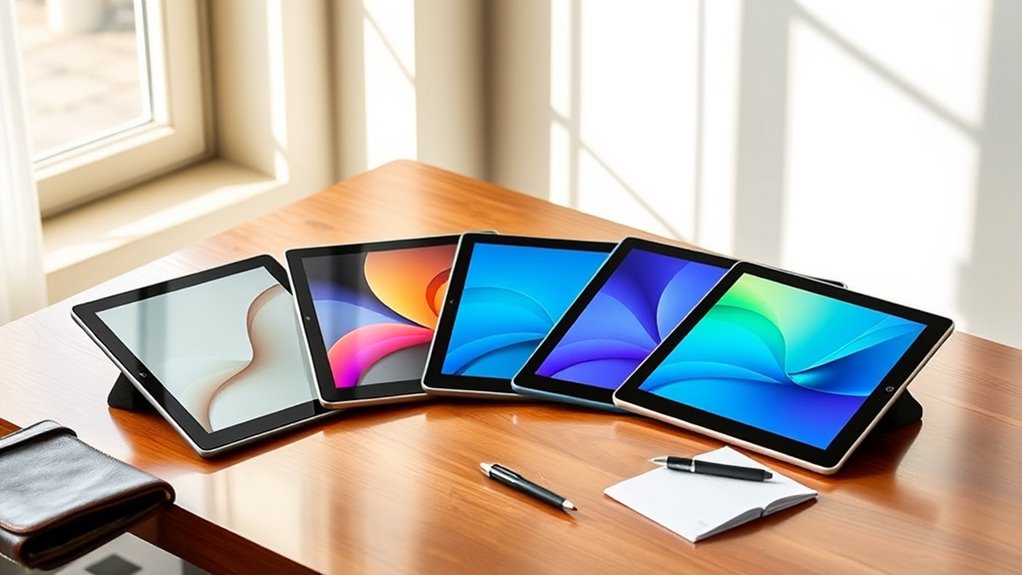

For those seeking a premium eInk tablet dedicated to note taking, the options combine high-quality screens with advanced writing features. The reMarkable 2 stands out for its sleek design and excellent writing experience, while the BOOX Note Air 5 offers a versatile color display and Android support for added functionality. Tradeoffs in this market often revolve around screen size, color capability, and software flexibility—balancing price against features. Keep reading to explore the top choices and find the best fit for your note-taking needs.

Turn your wind-down time into listening time
- Thousands of audiobooks, podcasts and originals
- Listen on your phone, tablet or Echo — also offline
- Cancel anytime
Key Takeaways
- The best overall pick balances a premium writing experience with reliable build quality, exemplified by the reMarkable 2.
- Color capabilities are still a niche; most top models focus on monochrome displays that excel for writing and reading.
- Device versatility varies, with some tablets supporting Android or custom OS for additional apps, while others prioritize simplicity.
- Size and portability are key tradeoffs—larger screens offer more space but less portability, influencing device selection based on use case.
- Price differences largely reflect build quality, screen technology, and software ecosystem—skimping on cost can limit functionality.
| Penstar eNote Pro Paper Tablet – 10.3” Color E-Ink Digital Notebook with 128GB Storage and Accessories |  | Best Premium Color E-Ink Note-Taking Tablet | Display: 10.3-inch Kaleido 3 color E-Ink, 2K QHD | Storage: 128GB | Battery: 6500mAh | VIEW ON AMAZON | See Our Full Breakdown |
| reMarkable 2 with Marker Plus and Basalt Book Folio |  | Best Focused Monochrome Digital Notebook | Display: 10.3-inch monochrome e-ink | Battery Life: Up to 2 weeks | Included Accessories: Marker Plus with eraser, 9 spare tips, Basalt Book Folio | VIEW ON AMAZON | See Our Full Breakdown |
| BOOX Note Air 5 10.3″ E Ink Color Tablet with Android 15, 6GB RAM, 64GB Storage |  | Best Versatile Color E-Ink Tablet with Android | Display: 10.3-inch Kaleido 3 color E Ink, 2480 x 1860 | Processor: Octa-core | RAM: 6GB | VIEW ON AMAZON | See Our Full Breakdown |
| reMarkable Paper Pro with Marker Plus and Black Leather Book Folio |  | Best Large Color E-Ink for Creative Use | Display: 11.8-inch color e-ink | Included Accessories: Marker Plus, 6 spare tips, leather folio | Features: Color display, adjustable reading light, low-glare screen | VIEW ON AMAZON | See Our Full Breakdown |
| Penstar eNote2 Paper Tablet – 10.3” E-Ink Digital Notebook with 128GB Storage and Pen Bundle |  | Best Value Premium E-Ink Note-Taking Tablet | Display Size: 10.3 inches | Pressure Levels: 8192 | Storage: 128GB | VIEW ON AMAZON | See Our Full Breakdown |
| reMarkable Paper Pro with Marker Plus and Basalt Book Folio 11.8” Color E Ink Digital Notebook |  | Best Premium Color E Ink Tablet for Creative Note Taking | Display Size: 11.8 inches | Display Type: Color E Ink | Included Accessories: Marker Plus, 6 spare tips, Book Folio, USB-C cable | VIEW ON AMAZON | See Our Full Breakdown |
| iFlytek AINOTE 2 10.65″ E-Ink Tablet for Note Taking and Meetings |  | Best for Multi-Functionality and Long Battery Life | Display: 10.65-inch E-Ink | Thickness: 4.2 mm | Battery Life: Up to 14 days | VIEW ON AMAZON | See Our Full Breakdown |
| XPPen 3-in-1 Color Digital Notebook 10.95” with 16384 Pressure Levels and Magnetic Folio |  | Best Versatile Color E Ink Device for Art and Note Taking | Display Size: 10.95 inches | Display Technology: AG nano-etched LCD | Color Modes: Monochrome, Light Color, Nature Color | VIEW ON AMAZON | See Our Full Breakdown |
| iFlytek AINOTE 2 Bundle with Deep Navy Folio Case, 10.65″ E-Ink Tablet, AI Note Taking Digital Notebook |  | Best Complete Bundle for Portable Multi-Language Note Taking | Display Size: 10.65 inches | Thickness: 4.2 mm | Battery Life: Up to 14 days | VIEW ON AMAZON | See Our Full Breakdown |
| reMarkable Paper Pure with Marker 10.3-inch Digital Notebook |  | Best Focused Black-and-White E Ink Notebook for Productivity | Display Size: 10.3 inches | Display Type: E Ink | Color: Black and white | VIEW ON AMAZON | See Our Full Breakdown |
| premium eink tablets for note taking | Display | Included Accessories | Connectivity | Display Size |
|---|---|---|---|---|
| Penstar eNote Pro Paper Tablet | 10.3-inch Kaleido 3 color E-Ink, 2K QHD | Stylus, extra nibs, folio cover, charging cable | Cloud sync via Google Drive, OneDrive, Dropbox | — |
| reMarkable 2 with Marker Plus | 10.3-inch monochrome e-ink | Marker Plus with eraser, 9 spare tips, Basalt Book Folio | Cloud sync with reMarkable apps | — |
| BOOX Note Air 5 10.3" E Ink Co | 10.3-inch Kaleido 3 color E Ink, 2480 x 1860 | — | Wi-Fi, Bluetooth 5.1 | — |
| reMarkable Paper Pro with Mark | 11.8-inch color e-ink | Marker Plus, 6 spare tips, leather folio | None specified | — |
| Penstar eNote2 Paper Tablet | — | — | — | 10.3 inches |
| reMarkable Paper Pro with Mark | — | Marker Plus, 6 spare tips, Book Folio, USB-C cable | — | 11.8 inches |
| iFlytek AINOTE 2 10.65" E-Ink | 10.65-inch E-Ink | — | Wi-Fi | — |
| XPPen 3-in-1 Color Digital Not | — | — | — | 10.95 inches |
| iFlytek AINOTE 2 Bundle with D | — | — | — | 10.65 inches |
| reMarkable Paper Pure with Mar | — | Marker | — | 10.3 inches |
More Details on Our Top Picks
Penstar eNote Pro Paper Tablet – 10.3” Color E-Ink Digital Notebook with 128GB Storage and Accessories
The Penstar eNote Pro stands out for its vibrant 10.3-inch Kaleido 3 color E-Ink display, which surpasses the monochrome options like the reMarkable 2 for anyone needing to differentiate sketches or highlights with color. Its 2K QHD resolution ensures sharp text and vivid visuals, making it ideal for detailed diagrams or colorful annotations. Unlike the reMarkable 2, which excels in distraction-free reading, the eNote Pro’s color capability makes it better suited for creative note-taking and visual tasks, though it comes at a higher price and supports only digital notes. The included accessories, like the stylus and folio, add immediate value, but the battery life details are less clear, which could be a concern for heavy daily use. Overall, this model makes the most sense for users who want color support and versatile organization tools in a premium device, accepting the tradeoff of a higher cost.
Pros:- Vivid color display with sharp resolution enhances visual notes and sketches
- High pressure sensitivity for natural handwriting experience
- Supports cloud sync and voice-to-text features for efficient workflows
- Includes comprehensive accessories for immediate use
Cons:- Relatively high price may be prohibitive for some users
- Battery life details are not specified, raising concerns for all-day use
Best for: Professionals or students who need vibrant, color-rich notes and detailed visual organization.
Not ideal for: Individuals looking for the most budget-friendly or long-lasting battery options, or those who prefer monochrome simplicity.
- Display:10.3-inch Kaleido 3 color E-Ink, 2K QHD
- Storage:128GB
- Battery:6500mAh
- Pressure Sensitivity:8192 levels
- Included Accessories:Stylus, extra nibs, folio cover, charging cable
- Connectivity:Cloud sync via Google Drive, OneDrive, Dropbox
Our verdict“This device suits users who prioritize color in digital note-taking and are comfortable with a premium price point.”
reMarkable 2 with Marker Plus and Basalt Book Folio
The reMarkable 2 excels at mimicking the paper experience with its 10.3-inch monochrome e-ink display, which makes it ideal for users seeking deep focus without distractions from colors or apps. Its long battery life of up to 2 weeks far outstrips color options like the Penstar eNote Pro, making it suitable for extended periods of note-taking or reading without frequent charging. Compared to the BOOX Note Air 5, which offers color and Android support, the reMarkable 2’s simplicity fosters better concentration but limits users to note-taking and reading, with no access to app ecosystems. Its interface, free from notifications or multimedia, is perfect for those wanting a distraction-free environment, though it requires a subscription for full cloud features. It’s a top pick for purists prioritizing focus over multimedia capabilities.
Pros:- Feels like writing on real paper with a high-quality e-ink display
- Exceptional battery life of up to 2 weeks supports long-term use
- No distractions from notifications or apps enhances focus
- Organizes notes effectively with folders and tags
Cons:- Limited to note-taking and reading, lacking app ecosystem
- Monochrome display may not appeal to users needing color visuals
- Requires subscription for full cloud storage and features
Best for: Students and professionals who want a distraction-free environment for notes and reading, with minimal tech interference.
Not ideal for: Users who need color, multimedia, or app flexibility for more versatile tasks and creative projects.
- Display:10.3-inch monochrome e-ink
- Battery Life:Up to 2 weeks
- Included Accessories:Marker Plus with eraser, 9 spare tips, Basalt Book Folio
- Connectivity:Cloud sync with reMarkable apps
- Thickness:4.7 mm
Our verdict“This device is ideal for users seeking a dedicated, distraction-free note-taking tool with exceptional battery life.”
BOOX Note Air 5 10.3″ E Ink Color Tablet with Android 15, 6GB RAM, 64GB Storage
The BOOX Note Air 5 offers a compelling blend of color E-Ink visuals and Android 15, making it suitable for users who want to read, annotate, and even run apps on a lightweight device. Its high-resolution Kaleido 3 color display supports a wide array of document and image formats, providing more visual flexibility than monochrome devices like the reMarkable 2. The 6GB RAM and Android 15 OS enable multitasking, unlike the Penstar eNote Pro, which is more limited in app support. However, the color technology can appear darker or grayer compared to LCDs, and refresh rates are slower, making it less ideal for animations or fast-paced visuals. It’s perfect for digital note-taking, reading, and light multimedia, though color fidelity and refresh speed are tradeoffs to consider.
Pros:- High-resolution color display supports vivid visuals
- Runs on Android 15 with 6GB RAM for multitasking
- Supports various document formats and stylus input
- Lightweight and portable design
Cons:- Color E Ink displays tend to be grayer or darker than LCDs
- Slower refresh rates limit animation or fast scrolling
- Limited color accuracy and brightness compared to LCD screens
Best for: Tech-savvy users who want a multi-purpose device for notes, reading, and light app use on the go.
Not ideal for: People seeking a traditional, distraction-free e-reader or those prioritizing vivid color accuracy over performance.
- Display:10.3-inch Kaleido 3 color E Ink, 2480 x 1860
- Processor:Octa-core
- RAM:6GB
- Storage:64GB
- Connectivity:Wi-Fi, Bluetooth 5.1
- Battery:3,700mAh
Our verdict“This tablet suits users who want a versatile, Android-based device capable of handling multiple tasks with color support.”
reMarkable Paper Pro with Marker Plus and Black Leather Book Folio
The reMarkable Paper Pro combines a large 11.8-inch color e-ink display with premium materials, making it ideal for creative note-takers and sketch artists. Its size surpasses the smaller models, providing more space for detailed drawings and colorful annotations. The adjustable reading light and stylus with eraser facilitate use in various lighting conditions, and the paper-like experience supports precise handwriting and sketching. Compared to smaller devices like the Penstar eNote, the Paper Pro’s larger display encourages more complex projects, but its higher price and limited multimedia capabilities constrain its appeal for users seeking entertainment or multimedia functions. Perfect for those who value style, size, and a versatile, paper-like experience in a focused device.
Pros:- Large 11.8-inch color e-ink display supports detailed sketches and notes
- Stylus with eraser provides precise control for handwriting and drawing
- Adjustable reading light enhances usability in different environments
- Premium leather folio adds style and protection
Cons:- Limited to e-ink display, not suitable for multimedia or video
- Higher price point reflects its premium build and size
- Requires compatible stylus for full functionality
Best for: Creative professionals, artists, or note-takers who want a large color display for detailed sketches and annotations.
Not ideal for: Users needing a compact device or multimedia features, as the focus is on writing and sketching with a limited color palette.
- Display:11.8-inch color e-ink
- Included Accessories:Marker Plus, 6 spare tips, leather folio
- Features:Color display, adjustable reading light, low-glare screen
- Size:Large
- Connectivity:None specified
Our verdict“This device makes sense for artists and serious note-takers seeking a large, color-focused e-ink experience with premium features.”
Penstar eNote2 Paper Tablet – 10.3” E-Ink Digital Notebook with 128GB Storage and Pen Bundle
The Penstar eNote2 offers a compelling combination of high-precision 8192 pressure levels and AI-powered note management in a 10.3-inch form factor. Its 128GB storage and 6500mAh battery make it a practical choice for daily use, especially compared to the Penstar eNote Pro’s higher price and color capabilities. While it lacks color, the eNote2’s minimal glare, smooth handwriting, and AI features for voice-to-text and organization make it appealing for those who want a reliable, feature-rich digital notebook without extra frills. However, the familiarity required for digital note-taking and the absence of color might deter users looking for multimedia or color annotations. It’s best for those prioritizing handwriting fidelity and AI assistance over visual color displays.
Pros:- High-precision stylus with 8192 pressure levels offers accurate control
- AI-powered voice-to-text and note organization streamline workflow
- Lightweight and portable with 6500mAh battery for all-day use
- Minimal glare and paper-like writing experience
Cons:- Limited to monochrome displays, no color support
- Familiarity with digital note apps may require a learning curve
- Some users might need additional accessories for full functionality
Best for: Students and professionals who value high-precision handwriting, AI features, and long-lasting battery in a portable device.
Not ideal for: Color enthusiasts or users expecting multimedia or vibrant visual notes, due to its monochrome display and basic features.
- Display Size:10.3 inches
- Pressure Levels:8192
- Storage:128GB
- Battery Capacity:6500mAh
- Weight:409 grams
- Thickness:5.5 mm
Our verdict“This tablet is ideal for users seeking precise handwriting and AI features in a portable, monochrome device, with less emphasis on color or multimedia functions.”
reMarkable Paper Pro with Marker Plus and Basalt Book Folio 11.8” Color E Ink Digital Notebook
This model stands out for its 11.8-inch color E Ink display that supports writing, sketching, and reading in vibrant hues, a significant upgrade over the black-and-white reMarkable Paper Pure. The Paper Pro offers a natural, paper-like writing experience with high responsiveness, making it ideal for artists and designers who need color clarity. Its adjustable reading light enhances usability in various lighting conditions. Compared with the reMarkable 2, it provides color and a larger screen but comes with a higher price and slightly slower refresh rates inherent to color E Ink. This makes it better suited for users prioritizing visual creativity over ultra-fast refresh times or budget constraints.
Pros:- Vibrant, color-capable display enhances creative work
- Natural paper-like writing experience with high responsiveness
- Portable and lightweight for on-the-go use
- Adjustable reading light for comfortable use in various environments
Cons:- Color E Ink technology has slower refresh rates than LCD screens
- Higher price point limits accessibility for some users
- Requires compatible digital files for full functionality
Best for: Creative professionals and students who want a portable color E Ink device for sketching, note-taking, and reading in color.
Not ideal for: Users seeking a budget-friendly or fast-refresh device primarily for quick notes or document review without color needs.
- Display Size:11.8 inches
- Display Type:Color E Ink
- Included Accessories:Marker Plus, 6 spare tips, Book Folio, USB-C cable
- Features:Adjustable reading light, low-glare display, handwriting recognition
Our verdict“This is ideal for users who want a premium, portable, color-capable note-taking device that doubles as a sketchpad.”
iFlytek AINOTE 2 10.65″ E-Ink Tablet for Note Taking and Meetings
Compared to the XPPen 3-in-1, the iFlytek AINOTE 2 emphasizes AI-assisted features, multi-language transcription, and an ultra-thin profile, perfect for busy professionals and students. Its 10.65-inch E-Ink display provides a paper-like writing experience with low latency, but its narrower viewing angles and reliance on Wi-Fi for AI functions mean it might not suit offline or low-light environments. The long battery life—up to 14 days—outperforms many alternatives, making it suitable for extended use during travel or long meetings. However, its AI features may not be ideal for users who prefer offline note-taking or are concerned about privacy.
Pros:- AI-assisted transcription and multi-language support for productivity
- Ultra-thin, lightweight design ideal for portability
- Long battery life reduces need for frequent charging
- Supports multiple apps and schedule management
Cons:- Requires Wi-Fi for key AI and transcription features
- Limited visibility in low-light conditions without external lighting
- Performance may decline when multitasking with multiple apps
Best for: Working professionals and students who need AI-assisted note-taking, transcription, and long-lasting battery life for frequent use.
Not ideal for: Users who require offline use without Wi-Fi or who prefer a larger screen for detailed sketches or reading.
- Display:10.65-inch E-Ink
- Thickness:4.2 mm
- Battery Life:Up to 14 days
- Languages Supported:18
- Connectivity:Wi-Fi
- Compatibility:Google Calendar, AINOTE apps
Our verdict“This device suits users who value AI features and longevity over larger screens or offline independence.”
XPPen 3-in-1 Color Digital Notebook 10.95” with 16384 Pressure Levels and Magnetic Folio
The XPPen offers a 10.95-inch AG nano-etched LCD display with multiple color modes and a high refresh rate, making it stand apart from monochrome devices like the reMarkable Paper Pure. Its 16,384 pressure levels with the X3 Pro Pencil enable detailed and precise annotation, appealing to artists and designers. The LCD technology reduces glare and blue light exposure, making it more comfortable for extended use, especially for visual tasks. While the Android 14 operating system and 128GB storage provide a versatile ecosystem, its narrower viewing angles and system demands may limit smoothness when running many apps simultaneously. This device is best for those who want a color, multi-function device with a focus on creative work and portability.
Pros:- High sensitivity with 16K pressure levels for precise drawing
- Color support with 16.7 million colors for creative flexibility
- Eye-friendly display reduces glare and blue light
- Android ecosystem with ample storage and app support
Cons:- Narrow viewing angles may affect visibility from certain angles
- Performance issues when multitasking with multiple apps
- Requires system updates to fully access AI features
Best for: Artists, designers, and note-takers who need a portable, high-sensitivity device supporting color and detailed annotations.
Not ideal for: Users seeking a simple, black-and-white e-ink device or those who prioritize battery longevity over versatile features.
- Display Size:10.95 inches
- Display Technology:AG nano-etched LCD
- Color Modes:Monochrome, Light Color, Nature Color
- Pressure Levels:16384
- Battery:8000mAh
- Storage:128GB
Our verdict“This device is best for creative users who want a portable, versatile color device with advanced stylus support.”
iFlytek AINOTE 2 Bundle with Deep Navy Folio Case, 10.65″ E-Ink Tablet, AI Note Taking Digital Notebook
Compared with the reMarkable Paper Pro, the iFlytek AINOTE 2 Bundle emphasizes AI assistance, multi-language transcription, and portability, making it ideal for users needing a lightweight device with comprehensive features. Its 10.65-inch E-Ink display offers a natural writing experience, but it’s not suitable for dark environments without external lighting. The included folio case adds to its portability, while AI features improve productivity in meetings and study sessions. However, AI reliance on Wi-Fi and transcription accuracy may limit use in offline or noisy environments. This device is a good fit for multilingual users and those who want an all-in-one portable note-taking solution.
Pros:- Natural handwriting with low latency
- Multi-language transcription supports global use
- Includes folio case and accessories for portability
- Lightweight and ultra-thin design
Cons:- Not suitable for low-light or dark-room writing without external lighting
- AI features require Wi-Fi, limiting offline use
- Transcription accuracy depends on environment and audio quality
Best for: Multilingual students and professionals seeking a portable, AI-enhanced note-taking device with accessories for on-the-go productivity.
Not ideal for: Users who need offline note-taking without Wi-Fi or those who prefer larger screens for detailed sketches.
- Display Size:10.65 inches
- Thickness:4.2 mm
- Battery Life:Up to 14 days
- Languages Supported:18
- Includes:Folio case, stylus, USB cable
Our verdict“This bundle is perfect for multilingual users who want a portable AI-enabled note device with protective accessories.”
reMarkable Paper Pure with Marker 10.3-inch Digital Notebook
Compared with color options like the Paper Pro, the reMarkable Paper Pure simplifies the experience for users who prioritize clarity and speed in black-and-white. Its 10.3-inch E Ink display offers a high-contrast, fast response time of 21 ms, ideal for note-taking, reviewing documents, and annotating without distractions. The device’s organized system with tags and folders enhances productivity, but its monochrome display limits creative expression and visual detail. The lack of color also means it may not be suitable for visual projects or artistic sketches. This pick makes the most sense for users who want a dedicated, distraction-free device focused solely on reading and note organization.
Pros:- High-contrast, fast-response display improves note clarity
- Supports handwriting, annotation, and document markup
- Organized with tags and folders for easy access
- Compatible with cloud services for sharing
Cons:- Limited to black-and-white display, restricting visual flexibility
- Stylus is necessary for optimal use, which may be lost or damaged
- Higher cost for a specialized device
Best for: Professionals and students who need a focused, high-contrast device for reading, writing, and reviewing documents in black and white.
Not ideal for: Users seeking color support or artistic sketching, as the device is limited to monochrome display.
- Display Size:10.3 inches
- Display Type:E Ink
- Color:Black and white
- Response Time:21 ms
- Included Accessories:Marker
Our verdict“This device is best for users who want a distraction-free, high-contrast note-taking and reading tool in a dedicated black-and-white format.”

How We Picked
We evaluated these tablets based on performance, display quality, writing experience, build durability, software ecosystem, and value for money. Devices had to excel specifically in note-taking, with features like stylus responsiveness, screen clarity, and user interface. Our rankings reflect a balance between premium build, functionality, and user experience, prioritizing products that cater to serious note-takers who want durability and advanced features without excessive compromises.| premium eink tablets for note taking | Included Accessories | Connectivity |
|---|---|---|
| Penstar eNote Pro Paper Tablet | Stylus, extra nibs, folio cover, charging cable | Cloud sync via Google Drive, OneDrive, Dropbox |
| reMarkable 2 with Marker Plus | Marker Plus with eraser, 9 spare tips, Basalt Book Folio | Cloud sync with reMarkable apps |
| BOOX Note Air 5 10.3" E Ink Co | — | Wi-Fi, Bluetooth 5.1 |
| reMarkable Paper Pro with Mark | Marker Plus, 6 spare tips, leather folio | None specified |
| Penstar eNote2 Paper Tablet | — | — |
| reMarkable Paper Pro with Mark | Marker Plus, 6 spare tips, Book Folio, USB-C cable | — |
| iFlytek AINOTE 2 10.65" E-Ink | — | Wi-Fi |
| XPPen 3-in-1 Color Digital Not | — | — |
| iFlytek AINOTE 2 Bundle with D | — | — |
| reMarkable Paper Pure with Mar | Marker | — |
Factors to Consider When Choosing Premium Eink Tablets For Note Taking
Choosing the right premium eInk tablet for note taking involves more than just screen size. Consider how the device’s display technology impacts handwriting clarity, and whether color support is essential for your workflow. Compatibility with stylus input and pressure sensitivity directly affect your writing experience, so testing responsiveness can be worthwhile. Software ecosystem and file management options influence how seamlessly your notes integrate with other tools. Finally, assess the device’s portability and durability for your typical use environment, as these factors determine long-term satisfaction.Display Quality and Size
High-resolution, glare-free screens are vital for comfortable writing over long sessions. Larger screens (around 10.3 inches or more) provide more space for detailed notes but can be less portable. Color displays add versatility but often compromise on contrast and refresh speed. Consider your typical use—if mobility is a priority, a more compact device may suit better, while dedicated note-taking at a desk benefits from larger screens.
Stylus Responsiveness and Pressure Sensitivity
The quality of stylus input directly impacts your writing comfort and accuracy. Premium devices offer low-latency response and high pressure sensitivity, mimicking paper-like feel. Cheaper styluses or lower-end screens can feel laggy or imprecise, frustrating the note-taking process. For serious use, investing in a device with a dedicated, responsive stylus is often worth the extra cost.
Software Ecosystem and File Management
Ease of organizing, exporting, and syncing notes is crucial to a seamless workflow. Devices with robust app support—like Android-based models—offer flexibility but may introduce complexity. Simpler, dedicated note-taking OSes excel in focus but can limit integrations. Cloud support and compatibility with popular services like Dropbox or Google Drive can also influence your efficiency.
Build Quality and Durability
Premium materials and sturdy construction extend device lifespan, especially for frequent travelers or students. Some devices feature water-resistant or reinforced cases, which add peace of mind. The choice between lighter, more portable models and heavier, more durable ones depends on your daily routine and environment.
Price and Long-Term Value
Price often reflects display quality, software features, and build materials. While a higher upfront cost can mean better longevity and a superior writing experience, some budget options still deliver excellent note-taking performance. Consider whether extra features like color or Android support justify the additional expense, based on your specific needs.
Frequently Asked Questions
Can I use any stylus with these eInk tablets?
Most premium eInk tablets come with their own stylus designed for optimal responsiveness, often with pressure sensitivity and tilt support. While some devices may support third-party styluses, compatibility and performance are not guaranteed. Investing in the recommended stylus ensures the best writing experience, especially for detailed notes or sketches.
Are color eInk tablets suitable for note taking?
Color eInk tablets are emerging but still less common. They can be useful if you need to highlight, annotate in color, or incorporate simple graphics. However, they tend to have slower refresh rates and less contrast than monochrome screens, which may reduce the overall writing and reading comfort for intensive note taking.
How important is software ecosystem for a note-taking device?
The software ecosystem affects how easily you can organize, annotate, and export notes. Devices with open platforms like Android support a variety of apps, enhancing flexibility. Dedicated ecosystems may offer more streamlined experiences but limit customization. The best choice depends on whether you prefer a simple, focused device or one that integrates with other productivity tools.
Should I prioritize size or portability?
Size impacts both usability and transportability. Larger screens are better for detailed notes and reading but can be cumbersome to carry around. Smaller devices are more portable but may restrict writing space. Consider your typical environment—if you move between locations frequently, a compact model might be more suitable, whereas a larger device is ideal for stationary use.
Is longer battery life essential for note-taking devices?
Yes, especially if you plan to use your eInk tablet throughout the day without frequent recharging. Premium devices generally offer battery life spanning several days, making them practical for long sessions or travel. Keep in mind that intensive tasks like writing with high pressure sensitivity or using color displays can impact battery longevity.
Conclusion
For those seeking the best overall experience, the reMarkable 2 offers a sleek, paper-like writing surface with reliable durability. Budget-conscious buyers who still want quality may prefer the Penstar eNote2 for its balance of features and affordability. If you prioritize color and multimedia support, the BOOX Note Air 5 stands out, though it comes at a higher price. Beginners or casual users will find the reMarkable Paper Pure intuitive and straightforward, while professionals needing advanced features might lean toward the Penstar eNote Pro. Matching your specific needs with these options will ensure a satisfying note-taking experience.Evergreen bestsellers Picks

Apple AirPods Pro 3 Wireless Earbuds with Active Noise Cancellation

Vitamix Propel Series 750 Professional-Grade Blender, 4 Programs, Black

TCL QM64L 85-Inch QD-Mini LED 4K Smart Fire TV
As an affiliate, we earn on qualifying purchases.